

Java U Coffee House
About Java U Coffee House
Java U Coffee House is a coffee shop located in Mississauga. It is a coffee house and café. Available features include Wi-Fi, wheelchair access, walk-in service, booking or reservations, delivery, and takeout or pickup.
Wi-Fi; delivery; takeaway; wheelchair accessible; café/work setting.
Reviews
Loading Google Maps reviews...
Amenities
Payment
Frequently Asked Questions
01Where is Java U Coffee House located?
Java U Coffee House is at 418 Burnhamthorpe Rd W, Mississauga, ON L5B 4M6, Canada.
02What is the phone number for Java U Coffee House?
You can reach Java U Coffee House on +1 647-398-9071.
03What are the opening hours?
Monday 06:00-22:00; Tuesday 06:00-22:00; Wednesday 06:00-22:00; Thursday 06:00-22:00; Friday 06:00-22:00; Saturday 07:00-22:00; Sunday 07:00-22:00.
04Does Java U Coffee House have a website?
Yes. Their website is https://java-u.com/.
05Is Java U Coffee House on social media?
Yes - on Facebook and Instagram. The links are on this listing.
06Is Java U Coffee House wheelchair accessible?
Google lists a wheelchair-accessible entrance, accessible parking, an accessible washroom and accessible seating at this location.
07Is there parking at Java U Coffee House?
Google lists a free parking lot, free street parking and paid street parking.
08What payment methods does Java U Coffee House accept?
Google lists credit cards, debit cards and tap and mobile payments.
09Does Java U Coffee House offer takeout or delivery?
Google lists dine-in, takeout and delivery.
10Which meals does Java U Coffee House serve?
Breakfast, brunch, lunch and dinner.
11Are there vegetarian options at Java U Coffee House?
Google lists vegetarian food as available.
12Is Java U Coffee House family friendly?
Google lists it as good for children.
13How much does it cost at Java U Coffee House?
Google puts the typical spend between CAD 1 and CAD 10 per person.
Similar Listings
View all ›

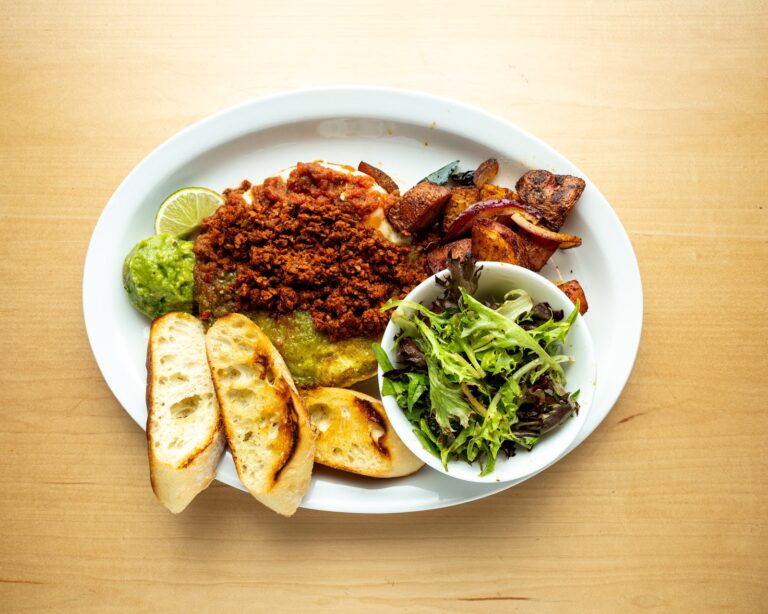

Java U Coffee House

Java U Coffee House
418 Burnhamthorpe Rd W, Mississauga, ON L5B 4M6, Canada, Mississauga
- 1Create your accountA claim transfers this listing to you, so it has to be attached to a real account.
- 2Tell us who you areYour role at the business and how you are connected to it.
- 3Attach your proofUpload a PDF, JPG or PNG — a licence, utility bill or letterhead works well.